

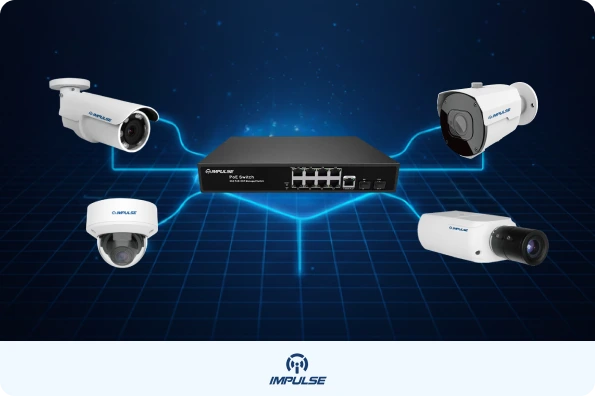
In the world of modern IP surveillance, Power over Ethernet (PoE) technology has become a game-changer. By allowing both power and data to travel over a single cable, PoE simplifies deployment and dramatically reduces installation costs. However, as IP cameras become more advanced featuring high-resolution sensors, powerful IR LEDs, PTZ (Pan-Tilt-Zoom) mechanisms, and edge analytics they demand more power than traditional PoE can comfortably supply. This is where high-power PoE switches come into play.
In this blog post, we’ll dive deep into how high-power PoE switches can optimize IP camera installations, why they’re essential for demanding camera types, and best practices for planning and deployment in professional surveillance systems.
1. Understanding PoE Standards: Why High Power Matters
To appreciate the value of high-power PoE switches, it helps to understand the evolution of PoE standards:
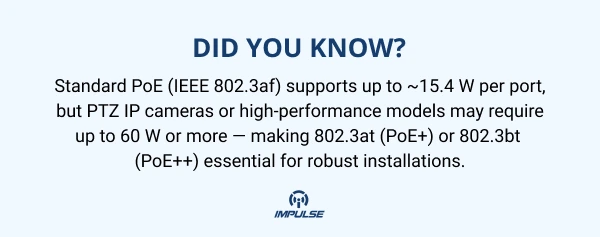
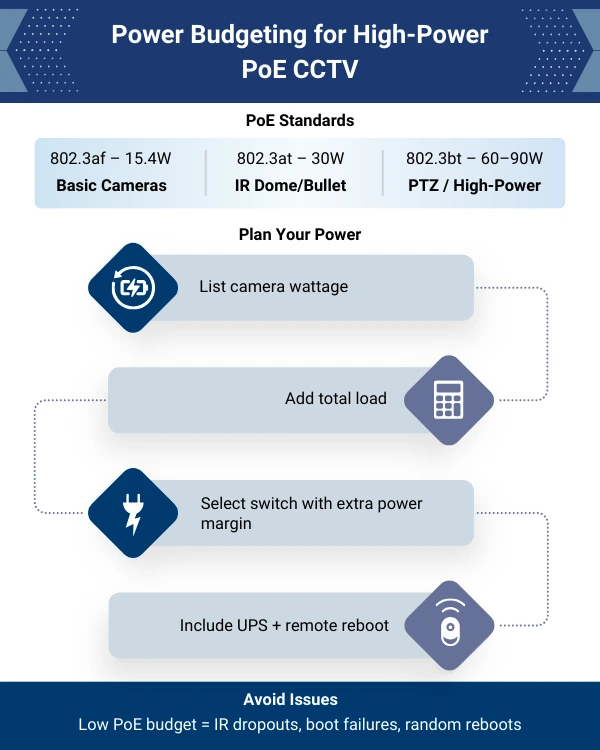
- IEEE 802.3af (PoE) delivers up to ~15.4 W per port.
- IEEE 802.3at (PoE+) boosts that to 30 W per port.
- IEEE 802.3bt (PoE++) can provide even higher power: up to 60 W (Type 3) or 90–100 W (Type 4), depending on design.
These higher PoE standards are backward-compatible but forward-incompatible: a high-power switch can power lower-power devices, but the reverse may not work.
High-power PoE is especially useful for power-hungry IP cameras, such as PTZ units with powerful motors, long-range IR illumination, or advanced analytics. Without sufficient power, these devices may underperform, fail to boot, or become unstable.
2. The Benefits of High-Power PoE Switches for IP Camera Installations
2.1 Simplified Cabling & Lower Installation Costs
Using a PoE switch means you only need one Ethernet cable per camera, instead of separate power and data lines. This reduces material costs dramatically, simplifies routing, and decreases installation time.
Moreover, centralized power simplifies future maintenance and upgrades. When all cameras are powered from one or a few high-power PoE switches, you can monitor, reset, or replace failing units more easily.
2.2 Reliable & Scalable Power Delivery
High-power PoE switches offer a larger PoE budget — they can allocate more watts per port and often manage power dynamically to ensure critical devices get what they need.
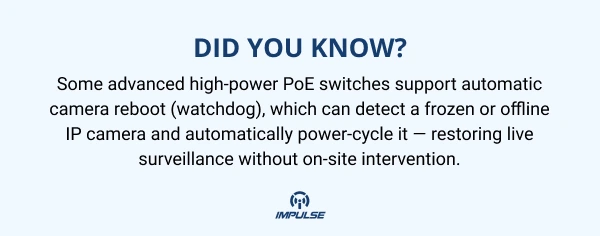
Some managed switches even include remote reboot (watchdog) features: if a camera becomes unresponsive, the switch can cycle power to bring it back online.
2.3 Centralized Power Management & Backup
With all IP cameras powered centrally, you can tie in a UPS (uninterruptible power supply) to the PoE switch, ensuring that crucial surveillance stays online during power outages.
Moreover, many managed PoE switches offer SNMP (Simple Network Management Protocol), allowing remote monitoring of power usage, prioritization of ports, and dynamic management. (
2.4 Long-Reach Deployments & Future-Proofing
Modern high-power PoE switches often support extended reach modes (e.g., up to 250 m) or daisy-chaining via PoE forwarding/extenders.
This is especially useful for large campuses, campuses, warehouses, or outdoor perimeters where cameras may be far from the switch. Higher PoE standards also future-proof installations: as you upgrade to analytics, higher-res sensors, or PTZ, your power infrastructure remains sufficient.
3. Matching IP Cameras to Your PoE Needs: Case Studies with Impulse CCTV Products
Let’s examine how high-power PoE switches optimize installation when used with some of Impulse CCTV’s IP cameras:
- 2MP Varifocal Bullet Camera: This bullet-type varifocal network camera features a 1/2.7″ CMOS sensor, 2.8–12 mm lens, up to 50 m IR range, and dual-stream output. Although its power draw is moderate, the convenience of PoE ensures a clean and straightforward installation — especially for external walls or perimeter fencing.
- 2MP Varifocal Dome Camera: Housed in a compact dome, this camera offers similar optics to the bullet but in a discreet form factor, with up to 30 m IR and motion detection. Powering this via a PoE switch simplifies ceiling or soffit mounting without adding a separate PSU.
- 5MP PTZ IP Network Camera: This is where a high-power PoE switch becomes critical. With its 40× optical zoom, long lens (4.25–170 mm), motion tracking, edge analytics, tour/preset functionality, and up to 200 m IR, the PTZ demands more power, especially when moving, zooming, or using IR. A switch that supports 802.3at or 802.3bt ensures stable operation, avoids reboot issues, and helps prevent power starvation when the camera performs high-power actions.
4. Best Practices for Planning & Deploying High-Power PoE for IP Cameras
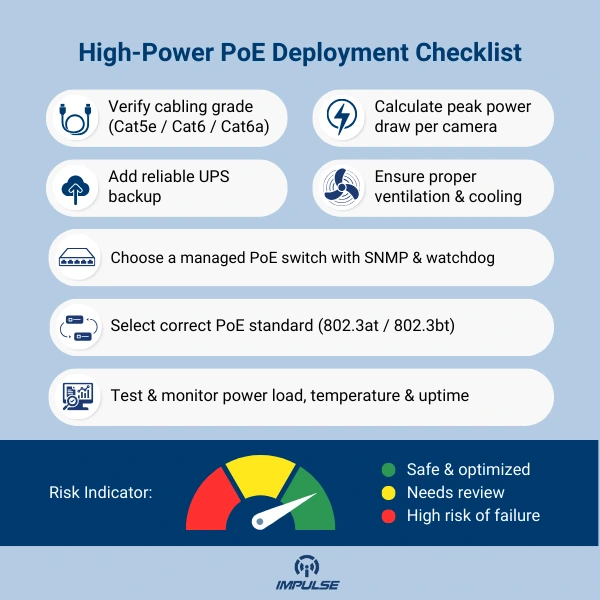
4.1 Calculate Your Power Budget
Start by estimating the maximum power draw of each camera under worst-case conditions (full zoom, IR on, movement). Use the power ratings from datasheets or actual measurements. Then:
- Multiply that by the number of devices on a PoE switch.
- Compare against the total PoE budget of your switch.
- Factor in a safety margin (e.g., 10–20%) for overhead, especially if you plan to expand or add more cameras.
4.2 Choose the Right PoE Standard
- For fixed, low-power cameras (like the bullet and dome above), 802.3at PoE+ is often enough.
- For PTZs, IR-intensive, or analytics-enabled cameras, consider 802.3bt PoE++ if your budget allows. These deliver greater wattage per port to handle peak power demands.
- Ensure that your cabling is capable (Cat5e or Cat6 for PoE+; Cat6a or better if you push for high-power PoE++)
4.3 Use Managed PoE Switches Where Possible
Managed switches give you greater control you can:
- Prioritize ports (e.g., PTZ gets highest priority)
- Monitor power draw per port via SNMP
- Use remote watchdog reboot to recover unresponsive devices
- Group devices into VLANs or isolate ports to control traffic and security (VIGI)
4.4 Plan for Redundancy & Backup
- Connect your PoE switch to a UPS to keep cameras live during outages. Centralized power via PoE makes this practical.
- For critical sites, consider redundant switches or redundant uplink paths to avoid single points of failure.
4.5 Optimize Cable Runs & Reach
- Keep runs under 100 meters for standard PoE, unless you’re using switches/extenders that support extended reach (e.g., 250 m).
- For long campus deployments, use PoE extenders or daisy-chain power forwarding via midspan devices.
- Test cable quality (attenuation, shielding) to ensure reliable delivery at higher loads.
5. Overcoming Common Challenges with High-Power PoE
5.1 Heat Dissipation & Switch Sizing
High-power PoE switches can generate significant heat. To avoid thermal throttling:
- Choose switches with adequate ventilation or fans
- Place switches in ventilated enclosures or network racks
- Monitor ambient temperature if installing in outdoor or non-air-conditioned spaces
5.2 Compatibility & Negotiation Issues
Occasionally, devices may not negotiate PoE power correctly:
- Ensure both the camera and switch support the same standard (e.g., 802.3at / bt)
- For non-standard or proprietary devices, test power draw during operation
- Use managed switches to manually limit or reserve power for specific ports if necessary
5.3 Cost vs. Benefit
High-power PoE switches are more expensive than basic ones, but the total cost of ownership often justifies:
- Reduced cabling and labor costs
- Ease of maintenance (remote reboot, centralized power)
- Future readiness for higher power devices
While the initial investment can be higher, long-term savings from remote device management and reduced downtime make high-power PoE a smart choice.
6. Real-World Use Cases & Deployment Scenarios
6.1 Campus or Large Facility Surveillance
In a large campus university, manufacturing plant, or corporate complex high-power PoE switches allow you to:
- Use one or two central switches to power dozens of IP cameras
- Include PTZ cameras (like the 5 MP PTZ IP Network Camera) without separate power lines
- Maintain centralized management and monitoring with a UPS
6.2 Outdoor Perimeter Security
For perimeter or outdoor deployments, the ability to support extended reach PoE (up to 250 m or more) means you can place cameras on fences, buildings, or poles without the need for local power sources.
With high-power PoE, even IR-intensive bullet cameras (like the 2 MP varifocal bullet) can run reliably at the edge of your network.
6.3 High-Risk or Remote Monitoring Points
In high-risk or remote areas such as critical infrastructure, border sites, or construction zones managed PoE switches with watchdog reboot and remote SNMP monitoring provide reliability and autonomy. If a camera goes down, it can reboot itself without sending a technician.
Conclusion
High-power PoE switches are not just a “nice to have” they’re increasingly essential for modern IP surveillance systems. As IP cameras pack more features, require more power, and get placed farther from network closets, relying on legacy or low-power PoE is simply no longer enough.
By integrating high-power PoE switches into your deployment strategy, you gain:
- Simplified cabling and installation
- Robust, scalable power delivery
- Centralized control and remote management
- Future-ready infrastructure that can handle advanced cameras like PTZ, IR-rich bullet or dome units
Whether you’re deploying the 2 MP varifocal bullet camera, the varifocal dome, or the advanced 5 MP PTZ IP network camera, high-power PoE gives your system the headroom and reliability it needs.