

A Network Video Recorder is the backbone of every IP-based surveillance system. It stores footage, manages camera feeds, handles user access, and powers your entire security infrastructure. But even the most advanced hardware delivers zero value when it is not configured correctly.
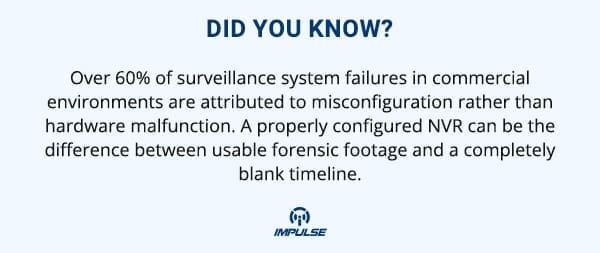
Many security failures traced back on investigation have nothing to do with hardware failure or network intrusion. They happen because of missed settings, skipped steps, and assumptions made during initial setup. NVR configuration errors are far more common than most installers and facility managers realize, and they are almost entirely preventable.
This blog breaks down the most critical NVR setup mistakes, explains why they happen, and gives you actionable fixes to ensure your surveillance system performs exactly the way it was designed to.
1. Using Default Login Credentials
This is the most basic and yet the most exploited vulnerability in any NVR deployment. Manufacturers ship NVRs with default usernames and passwords, often something as simple as admin/admin or admin/12345. When these are never changed, the entire system becomes accessible to anyone who knows the model number.
Why it happens: Installers rushing through deployment skip credential setup, assuming the client will handle it later. The client assumes the installer already did it.
How to avoid it:
- Change the admin password immediately upon first login
- Create role-based user accounts for operators, supervisors, and administrators separately
- Enforce strong password policies (minimum 12 characters, mixed case, symbols)
- Disable remote login for the default admin account entirely
2. Incorrect Storage and Retention Configuration
A surveillance system that runs out of storage and starts overwriting footage before the retention period ends is not a functioning system. It is a liability. Many NVR deployments fail because storage capacity was never calculated against actual recording parameters.
Why it happens: Storage is estimated without factoring in camera resolution, frame rate, compression codec, and the number of streams being recorded simultaneously.
How to avoid it:
Use this calculation as a baseline:
Storage (GB) = Bitrate (Mbps) × 0.0075 × 3600 seconds × Hours per Day × Days of Retention × Number of Cameras
For large-scale deployments requiring high-bandwidth storage, systems like the Impulse CCTV 256-Channel 4K NVR support up to 256 channels with 16 SATA bays and a recording bandwidth of 1824 Mbps, giving you the headroom to store high-resolution footage without compromise.
Always configure:
- Overwrite mode with defined retention periods per channel
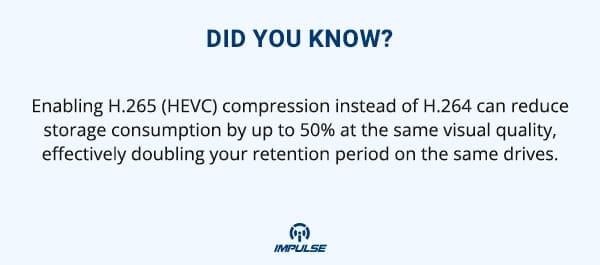
- H.265 compression to reduce storage consumption without sacrificing quality
- Storage health monitoring alerts to flag drive failures early
3. Mismatched Frame Rate and Bitrate Settings
Frame rate and bitrate are two of the most misunderstood settings in NVR configuration. Setting frame rate too high burns through storage. Setting it too low renders footage useless for identification or forensic analysis. Incorrect bitrate allocation causes buffering, frame drops, and corrupted recordings.
Why it happens: Default settings are applied across all channels without accounting for the specific use case of each camera.
How to avoid it:
- High-traffic areas (entrances, lobbies): 25 fps minimum, variable bitrate enabled
- Low-activity areas (storage rooms, stairwells): 10–15 fps is sufficient
- Match the bitrate ceiling to the camera’s maximum output specification
- Use dual-stream recording where the main stream handles storage and the sub-stream handles live monitoring

Cameras with native dual-stream or quad-stream output give the NVR more flexibility during configuration. Fixed dome cameras with built-in quad-stream support allow you to set independent quality profiles for recording and preview without impacting storage or bandwidth efficiency.
4. Skipping Motion Detection Zone Configuration
Most NVRs are configured with motion detection enabled globally, meaning every pixel shift on every camera triggers a recording event or alert. This results in thousands of false alerts, alert fatigue, and a monitoring team that starts ignoring notifications altogether.
Why it happens: Motion detection is treated as an on/off toggle rather than a precision tool.
How to avoid it:
- Draw specific motion detection zones that exclude trees, roads, reflective surfaces, and HVAC units
- Set sensitivity thresholds individually per camera based on its environment
- Use camera-side edge analytics to filter motion events before they reach the NVR, reducing server processing load
- Schedule motion-based recording separately from continuous recording channels
PTZ cameras with edge analytics and auto-tracking capabilities handle motion-based event detection at the camera level, which significantly reduces false triggers reaching the NVR. This is particularly valuable in perimeter monitoring where wide zones require intelligent filtering rather than blanket sensitivity.
5. Incorrect IP Addressing and Network Segmentation
NVR and camera network configuration errors are responsible for a surprisingly high number of system failures. Cameras with overlapping IP addresses, NVRs placed on the same network segment as general office traffic, and unmanaged switches without QoS rules all degrade system performance.
Why it happens: IP cameras are added incrementally over time without a structured addressing plan. Each installer assigns IPs manually without a reference document.
How to avoid it:
- Maintain a camera IP allocation register from day one
- Deploy cameras on a dedicated VLAN isolated from general corporate traffic
- Use a managed PoE switch with QoS rules that prioritize video traffic
- Enable DHCP reservation so cameras always receive the same IP address
- If using ONVIF-compatible cameras, verify ONVIF profile compatibility with the NVR before deployment, not after
6. No Remote Access Security Protocol
Remote access is essential for modern surveillance management. The problem is that most NVRs are configured with remote access enabled but without the necessary security layers to make that access safe. Open ports, unencrypted connections, and absence of two-factor authentication create exploitable attack surfaces.
Why it happens: Getting the system to work remotely is the goal. Securing that remote connection is treated as a secondary task that never gets completed.
How to avoid it:
- Use HTTPS instead of HTTP for all NVR web access
- Change default ports (avoid the standard 80, 554, 8000)
- Implement VPN access for remote management rather than direct port forwarding where possible
- Enable IP whitelisting to restrict access to known management IPs
- Audit remote access logs weekly and set up anomaly alerts
Video management platforms built for enterprise environments offer centralized access control, audit trails, and encrypted remote session management. Platforms like IMPULSE XTRA consolidate multi-site camera management with user permission layers, making secure remote access far more manageable at scale.
7. No Firmware Update Policy
NVR firmware updates are not optional maintenance tasks. They patch security vulnerabilities, fix codec compatibility issues, and often resolve bugs that cause silent recording failures. Running outdated firmware on an NVR is equivalent to running an unpatched operating system.
Why it happens: “If it’s working, don’t touch it” is the prevailing logic. The risk of downtime during an update outweighs the perceived risk of running old firmware until something goes wrong.
How to avoid it:
- Schedule firmware reviews quarterly, not annually
- Test firmware updates on a single NVR before rolling out across all units
- Document firmware versions per device in your system register
- Subscribe to manufacturer security bulletins for your NVR model
- Never update firmware during peak hours; schedule for overnight maintenance windows
8. Recording Schedule Misconfiguration
Not every camera needs to record 24 hours a day, 7 days a week. And yet, many deployments record everything continuously, inflating storage consumption unnecessarily. On the other hand, some installations configure motion-only recording for cameras that are meant to capture continuous activity, creating gaps in critical coverage.
Why it happens: The default schedule template is applied across the entire system without customization per camera or zone.
How to avoid it:
- Map each camera’s purpose before assigning its schedule
- Perimeter cameras: continuous 24/7 with motion-triggered alarm events
- Internal corridor cameras: motion-triggered recording during off-hours, continuous during business hours
- High-value asset cameras: continuous recording with no exceptions
- Configure pre-alarm and post-alarm buffers so motion events capture what happened before the trigger, not just after
For varifocal cameras deployed across large perimeter zones, recording schedules should account for the wide coverage range and the tendency of these cameras to capture ambient motion. Precise zone masking and schedule segmentation prevent unnecessary continuous recording while maintaining forensic integrity.
9. Ignoring Camera-to-NVR Bandwidth Planning
Each camera streams data to the NVR constantly. When the cumulative bandwidth of all connected cameras exceeds what the NVR or network infrastructure can handle, the result is dropped frames, recording failures, and live view lag. This problem is invisible during testing with a handful of cameras and devastating at full deployment.
Why it happens: Bandwidth is calculated per camera but not aggregated across all channels simultaneously.
How to avoid it:
- Calculate total bandwidth: Sum of all camera bitrates + 20% buffer
- Ensure NVR’s stated recording bandwidth matches or exceeds your total
- Use cameras that support variable bitrate (VBR) to reduce transmission load during low-activity periods
- Separate live viewing traffic from recording traffic on the network level
For multi-camera deployments requiring high-resolution coverage across multiple zones, combining a capable NVR with cameras that natively support VBR, ONVIF compliance, and dual-stream output gives your configuration the flexibility to manage bandwidth intelligently without manual throttling.
10. No Backup or Redundancy Plan
A single point of failure in an NVR system is not a risk it is an inevitability. Hard drives fail. Power fluctuates. Firmware corrupts. Without a backup and redundancy plan, any one of these events means permanent footage loss.
Why it happens: Redundancy planning is assumed to be a cost the client did not budget for, so it gets skipped during scoping.
How to avoid it:
- Configure RAID storage on multi-drive NVRs for drive-level redundancy
- Enable SD card backup on cameras that support it, so footage is retained at the edge even if the NVR loses connection
- Set up a secondary recording path on a backup server for mission-critical camera feeds
- Test failover scenarios during commissioning, not during a live incident
Cameras with built-in SD card support provide an important edge-level backup layer. When the NVR is unreachable due to network failure or power interruption, footage continues recording locally on the camera and syncs to the NVR once connectivity is restored. This dual-layer approach is especially important for remote sites and large perimeter deployments.
Conclusion
NVR configuration is not a one-time task completed at the end of an installation. It is a deliberate, structured process that determines whether your surveillance system actually functions as designed or silently fails when you need it most. Every setting, from storage allocation to motion zone mapping to remote access security, carries operational and legal consequences.
The mistakes outlined here are not edge cases. They are patterns observed across commercial, industrial, and institutional deployments. Avoiding them requires attention to detail during setup, proper documentation of every configuration decision, and a structured review cadence after deployment.
A well-configured NVR running on quality hardware, with cameras properly matched to its capabilities, is a reliable, long-term investment in physical security. A poorly configured one is a liability disguised as a system.