

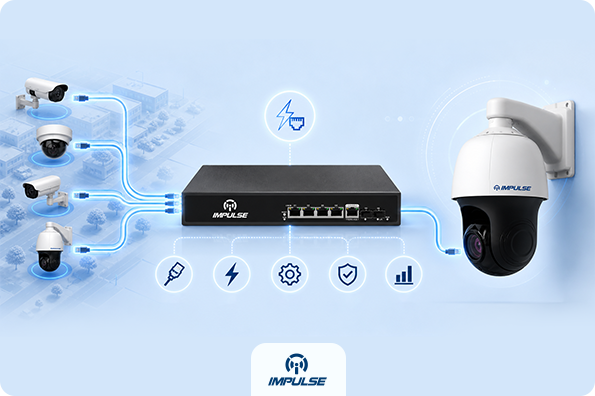
Running a professional IP camera installation has always carried two significant challenges: getting data from the camera to the recorder and getting power to the camera itself. For years, installers had to solve both problems separately, pulling power cables alongside network cables, planning electrical outlets near camera mounting points, and managing a web of adapters and power supplies. Power over Ethernet (PoE) switches changed all of that.
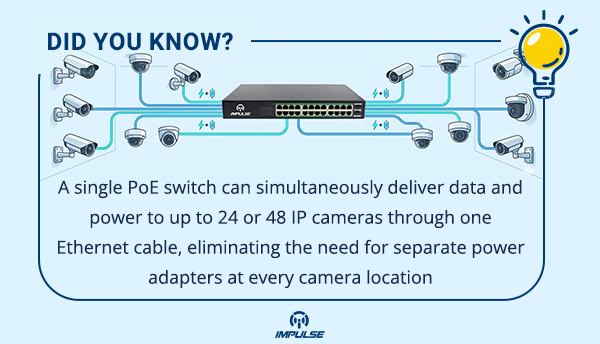
PoE technology allows a single Ethernet cable to carry both network data and electrical power simultaneously, reducing cabling complexity, lowering installation costs, and creating far more flexible deployment options. Whether a project involves a small retail space or a large-scale commercial facility, understanding how PoE switches work in IP surveillance systems is fundamental to designing an installation that is efficient, scalable, and future-ready.
This blog breaks down the technical mechanics behind PoE switches, how they interact with modern IP cameras, and what to consider when planning a PoE-powered surveillance network.
What Is a PoE Switch and How Does It Work?
A Power over Ethernet switch is a network switch that conforms to the IEEE 802.3af, 802.3at (PoE+), or 802.3bt (PoE++) standards. These standards define exactly how power is negotiated and delivered over standard Cat5e or Cat6 Ethernet cables.
When a PoE-enabled IP camera is connected to a PoE switch port, the switch first performs a detection handshake. It sends a low-voltage signal to check whether the connected device is a valid “Powered Device” (PD). If the camera responds correctly, the switch classifies the power requirement of the device and begins delivering the appropriate wattage. This entire negotiation happens automatically, with no manual configuration required by the installer.
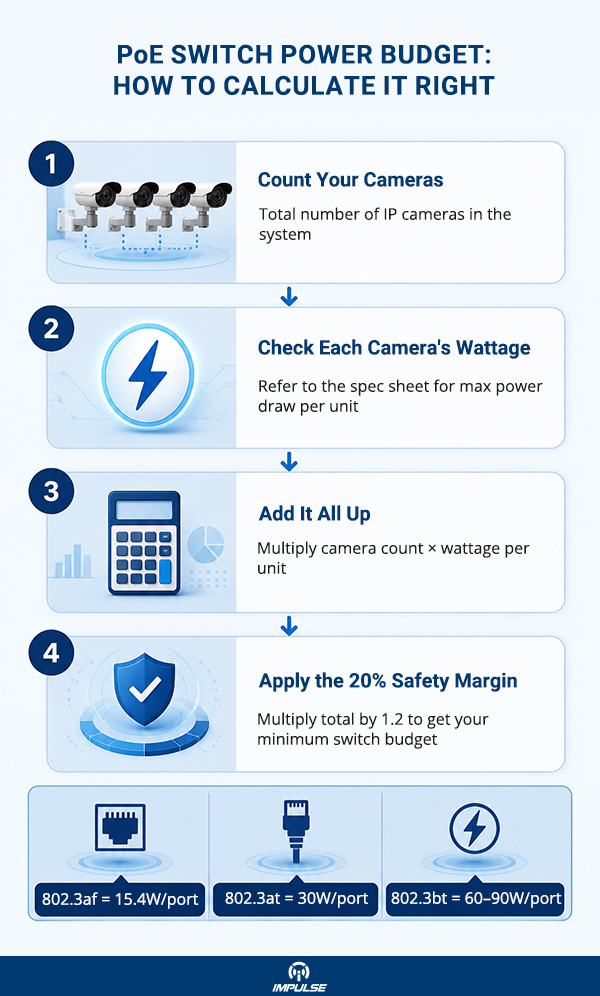
The three primary PoE standards differ in the maximum power they deliver per port:
- IEEE 802.3af (PoE): Up to 15.4W per port, suitable for basic fixed-lens cameras
- IEEE 802.3at (PoE+): Up to 30W per port, suitable for cameras with pan-tilt-zoom motors, heaters, or built-in IR
- IEEE 802.3bt (PoE++): Up to 60W or 90W per port, suited for high-performance multi-sensor cameras and advanced PTZ units
Choosing the wrong PoE standard for your camera class is one of the most common mistakes during procurement. Always cross-reference camera wattage ratings with switch port specifications before finalising a design.
Why PoE Switches Are the Standard for IP Camera Deployments
1. Simplified Cabling Infrastructure
Traditional analog CCTV systems required coaxial cable for video and a separate power run for each camera. IP camera installations with PoE replace both with a single Cat6 cable. This reduction in cabling has measurable effects on installation time, conduit requirements, and ongoing maintenance overhead.
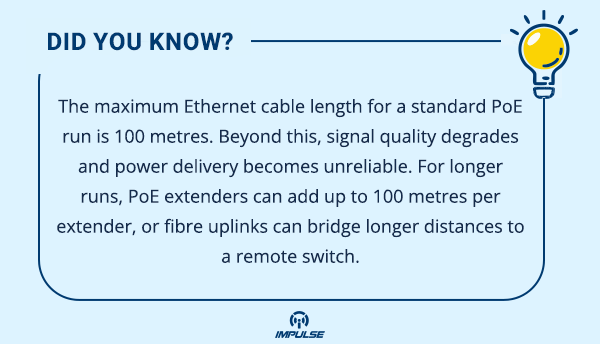
A single structured cable run from a centralised PoE switch can service a camera mounted in a ceiling, on an exterior wall, or at a perimeter boundary, provided the cable run stays within the 100-metre Ethernet limit.
2. Centralised Power Management
With a PoE switch, power for every connected camera originates from a single, centrally managed location. This has two major practical benefits. First, connecting the PoE switch to a UPS (Uninterruptible Power Supply) keeps the entire camera network operational during power outages, without needing individual battery backups at each camera location. Second, many managed PoE switches allow administrators to remotely power-cycle individual camera ports, restarting a frozen device without physically accessing the installation point.
3. Scalability and Flexibility
IP surveillance systems built around PoE infrastructure scale cleanly. Adding a new camera means running a single cable to the nearest switch and plugging in. There is no need to locate a nearby power outlet or plan an additional electrical circuit. This flexibility is particularly valuable in environments that change over time, such as warehouses that rearrange layouts or retail chains that renovate store interiors.
PoE Budget: The Calculation Every Installer Must Know
One of the most critical and frequently overlooked aspects of PoE switch selection is the total power budget. Every PoE switch has a maximum power budget, expressed in watts, that represents the total power it can distribute across all active ports simultaneously.
For example, a 16-port PoE+ switch might have a total budget of 150W. If each connected camera draws 15W, the switch can comfortably power 10 cameras. Connecting all 16 cameras would exceed the budget, causing the switch to either shut down lower-priority ports or fail to power some devices entirely.
PoE Budget Calculation Formula:
Total Camera Wattage + 20% Safety Margin ≤ Switch Power Budget
If a deployment uses 12 cameras drawing 12W each: 12 × 12W = 144W + 20% margin = 172.8W minimum switch budget required
Always factor in worst-case draw, not typical draw. IR LEDs, motorised zoom lenses, and built-in audio components all increase a camera’s peak wattage consumption.
Managed vs. Unmanaged PoE Switches: Which One Do You Need?
Unmanaged PoE Switches
Unmanaged switches are plug-and-play devices with no configuration interface. They work well for small, straightforward deployments where all cameras are on the same network segment and no traffic prioritisation is required. They are cost-effective and require minimal technical knowledge to deploy.
Managed PoE Switches
Managed PoE switches provide granular control over how the network operates. Key features include:
- VLAN support: Isolates camera traffic from other network segments, improving security and reducing congestion
- QoS (Quality of Service): Prioritises video data packets to maintain smooth, uninterrupted streams
- Port-level PoE control: Allows remote power cycling and power monitoring per port
- SNMP monitoring: Enables network health reporting and alerts within NMS platforms
- Bandwidth management: Prevents a single high-bitrate camera from saturating the uplink
For any installation with more than eight cameras, a managed switch is almost always the more appropriate choice.
How PoE Switches Interact with IP Camera Types
Different camera form factors have varying power and bandwidth demands. Understanding these differences directly informs PoE switch selection.
Fixed-lens dome and bullet cameras typically operate well within the 802.3af (PoE) standard. A camera like the 2MP Fixed Lens Dome Camera with built-in IR, dual stream output, and an onboard microphone draws modest power, making it an efficient endpoint on a standard PoE port. Similarly, a varifocal bullet camera such as the 2MP Varifocal Bullet Camera, which features a motorised 2.8–12mm lens with audio and alarm I/O, will require accurate power budget accounting given its active components.
PTZ cameras demand more careful planning. A high-performance unit like the 5MP PTZ IP Network Camera, with 40× optical zoom, 200-metre IR range, quad stream output, and edge-based auto-tracking analytics, is a PoE+ (802.3at) device. Deploying PTZ units on ports rated only for 802.3af will result in underpowering, causing the camera to either function at reduced capacity or fail to initialise.
The NVR sitting at the backend of a PoE-based system, such as the 64CH 4K Network Video Recorder, ties the entire network together. With a recording bandwidth of 640Mbps and 8 SATA bays for storage, it requires the upstream PoE switch network to deliver reliable, high-throughput connectivity from every camera endpoint.
Network Design Considerations for PoE-Based IP Surveillance
Bandwidth Planning
Each IP camera generates a continuous video stream. High-resolution cameras operating at full frame rate can produce streams between 2Mbps and 20Mbps depending on codec, resolution, and scene complexity. H.265 encoding significantly reduces bandwidth consumption compared to H.264, making it the preferred codec for high-channel IP surveillance networks.
Multiply the per-camera bandwidth by the total number of cameras and compare against the switch’s uplink capacity. A 24-camera system with cameras averaging 4Mbps per stream generates 96Mbps of sustained traffic. A 100Mbps uplink port would be at full saturation. A Gigabit uplink provides adequate headroom.
Network Segmentation
Placing IP cameras on a dedicated VLAN (Virtual Local Area Network) separates camera traffic from corporate or administrative networks. This prevents surveillance footage from competing for bandwidth with business applications and also limits the attack surface if a camera device is ever compromised.
Switch Placement
Centralising a PoE switch in a secure network room or server cabinet keeps it protected and makes cable management cleaner. For large sites, deploying multiple smaller switches closer to camera clusters and uplifting them via Gigabit or fibre to a core switch is often more efficient than running long cable runs to a single central switch.
Common Mistakes in PoE Switch Deployments
Ignoring the power budget: This is the most common failure point. Installers select a switch based on port count without checking total wattage capacity.
Using Cat5 instead of Cat5e or Cat6: While PoE can technically run over Cat5, it is not recommended. Cat5e and Cat6 cables offer better performance, lower crosstalk, and handle the combined power and data load far more reliably over distance.
Mixing PoE standards without checking compatibility: Not all PoE switches negotiate cleanly with all cameras. Always verify that the camera’s PoE classification matches the switch’s supported standard.
Skipping managed switches on large deployments: Unmanaged switches have no traffic prioritisation. In high-camera-count systems, this often leads to choppy streams, dropped frames, and network instability.
Neglecting cooling and ventilation: PoE switches generate significant heat, particularly when running close to their power budget limit. Mounting them in enclosed cabinets without ventilation shortens their lifespan considerably.
Conclusion
PoE switches are not a convenience feature. They are the structural foundation of any well-engineered IP camera surveillance system. By consolidating power delivery and data transmission into a single cabled infrastructure, they reduce installation complexity, improve system reliability, and make scaling a predictable process rather than a logistical challenge.
Choosing the right PoE switch comes down to three things: matching the correct PoE standard to the camera types being deployed, accurately calculating and budgeting the total system wattage, and deciding between managed and unmanaged based on the scale and security requirements of the project. Get those three decisions right, and the rest of the installation follows logically.
The cameras, the recorder, the cabling, and the switch all need to work as a unified system. Every specification matters, and every shortcut taken during the design phase tends to show up as a fault during live operation.